You can print out a summary listing of any or all charts contained within a single chart file. The summary may be printed at three different levels of detail:
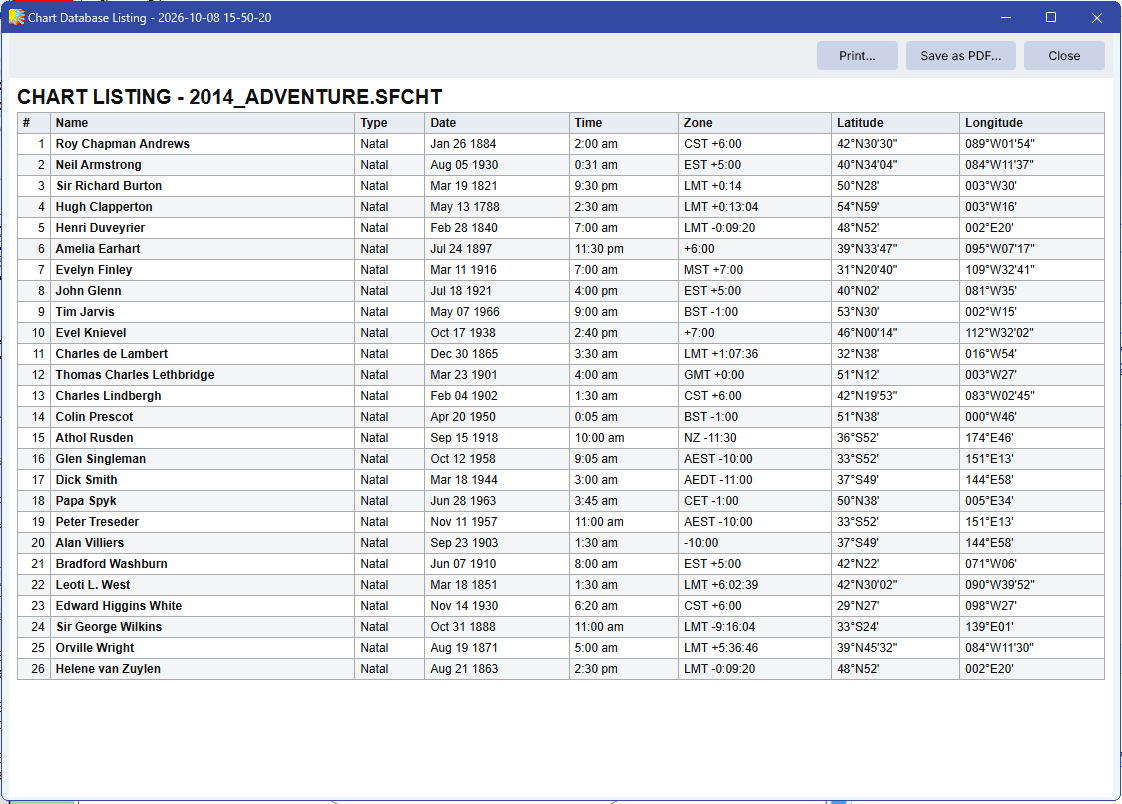
•Brief Listing - Each chart occupies a single line of output, and contains only the essential details that would be required to recast the chart: Name, date, time, timezone, latitude and longitude.
•Full Listing - Each chart occupies two lines of output, and contains the same information as the brief listing plus the coordinate system (geocentric/heliocentric), zodiac type, house system, place name and country/state.
•Full with Comments - The details of each chart occupy two lines of output, containing the same information as the full listing, and any chart comments that are associated with the chart occupy additional text lines below the chart details.
>> To print a summary of all charts in the current chart file
1.From the Print menu select All Charts.
2.From the Print menu select one of the listing options Brief Listing, Full Listing or Full with Comments.
3.A Chart Database Listing box in a grid format will appear, with options to Print, Save as PDF, or Close without printing. The Print button brings up the standard printer settings for your computer. See Printing from Solar Fire for further information on printing.
>> To print a summary of only the selected charts in the current chart file
1.From the Print menu select Selected Charts Only.
2.Proceed as in steps 2 to 3 above.
