Solar Fire’s Main Screen consists of the following components:
•Menu
•Toolbar
•Date and Place
•Current Settings panel
•Current Chart Preview
•Calculated Charts
•Planet Bar
•Background
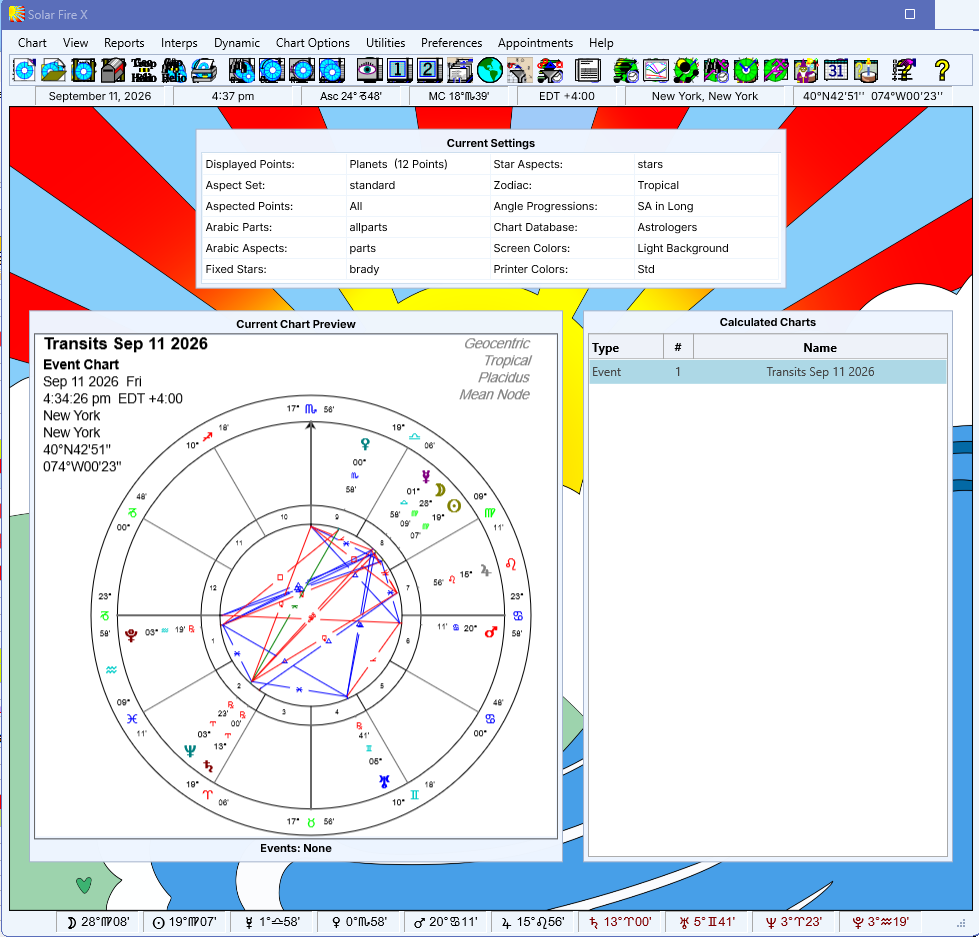
Each of these is described in more detail in the following sections. Note that you can switch off some of these components by using options under the "Preferences" menu.
