In the "Import Charts and Settings" dialog you can choose what items to import by clicking on their descriptions individually, or by using the All On or All Off buttons. These items each have a recommendation either for All Users or For Advanced Users Only.
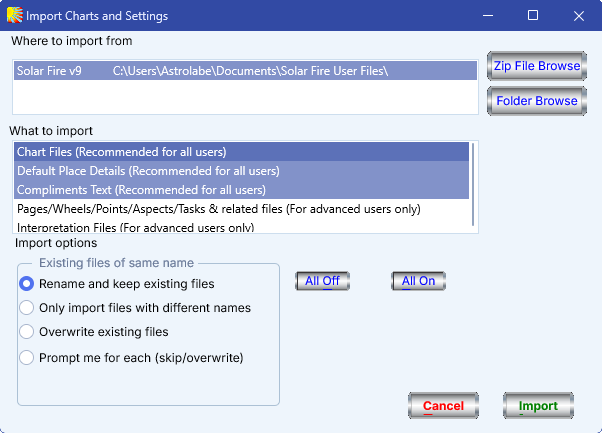
The items that may be selected for importing are as follows:
•Chart Files – All Solar Fire type chart files and chart comments files (these have file extensions *.SFcht, *.cht and *.chm).
•Default Place Details – The location and timezone that is set within the other copy of Solar Fire.
•Compliments Text - The compliments text that is set within the other copy of Solar Fire.
•Pages/Wheels/Points/Aspects/Tasks & related files – All Solar Fire type files of these various types, including color schemes. This will include any user created files of these types that you may have stored with the other copy of Solar Fire.
•Interpretation Files – All Solar Fire interpretation files (with file extensions *.int).
