You can display information on the 360° Dial or the 90° Dial. Using the 90°/360° toggle you can switch between Dials without losing any information they contain.
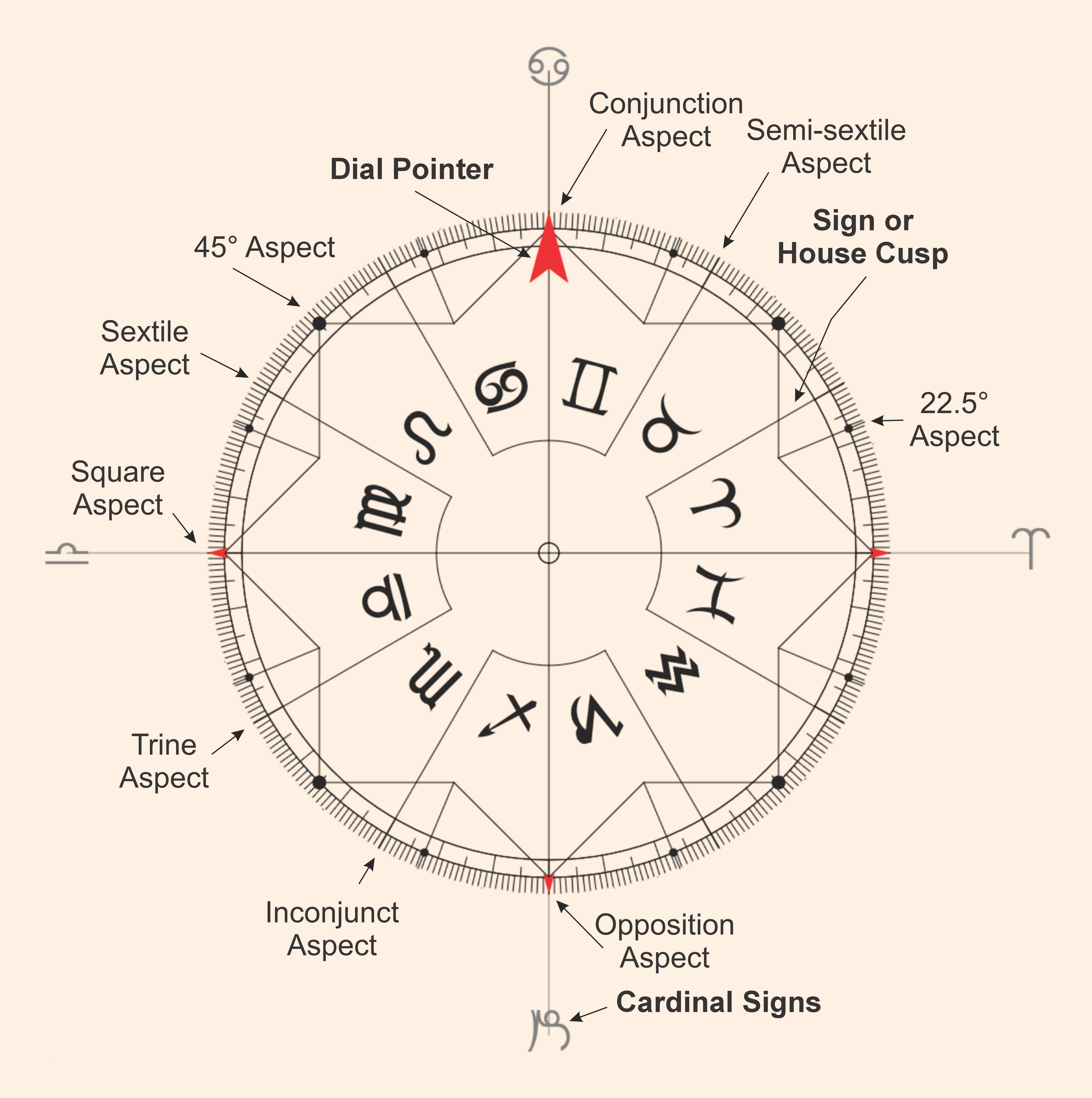
The 360° Dial
The Dials in front of you (either 360° or 90°) invite you to interact with them. Think of them like a protractor allowing you to measure distances between items for things like aspects or arc openings. It is also a large house wheel of Equal Houses that you can orient to anything displayed. You can look at symmetrical arrangements like midpoints or Planetary Pictures, which are the same as Arabic Parts or Hellenistic Lots. Using the multiple ring feature, you can compare two or more charts on the same Dial, such as transits, directions, progressions or any other chart such as a natal, electional, horary, event chart, return chart, etc. With the multiple rings you can also create a Contact Cosmogram (from Cosmobiology) or do advance operations like finding differences using Dual-Disk Analysis.
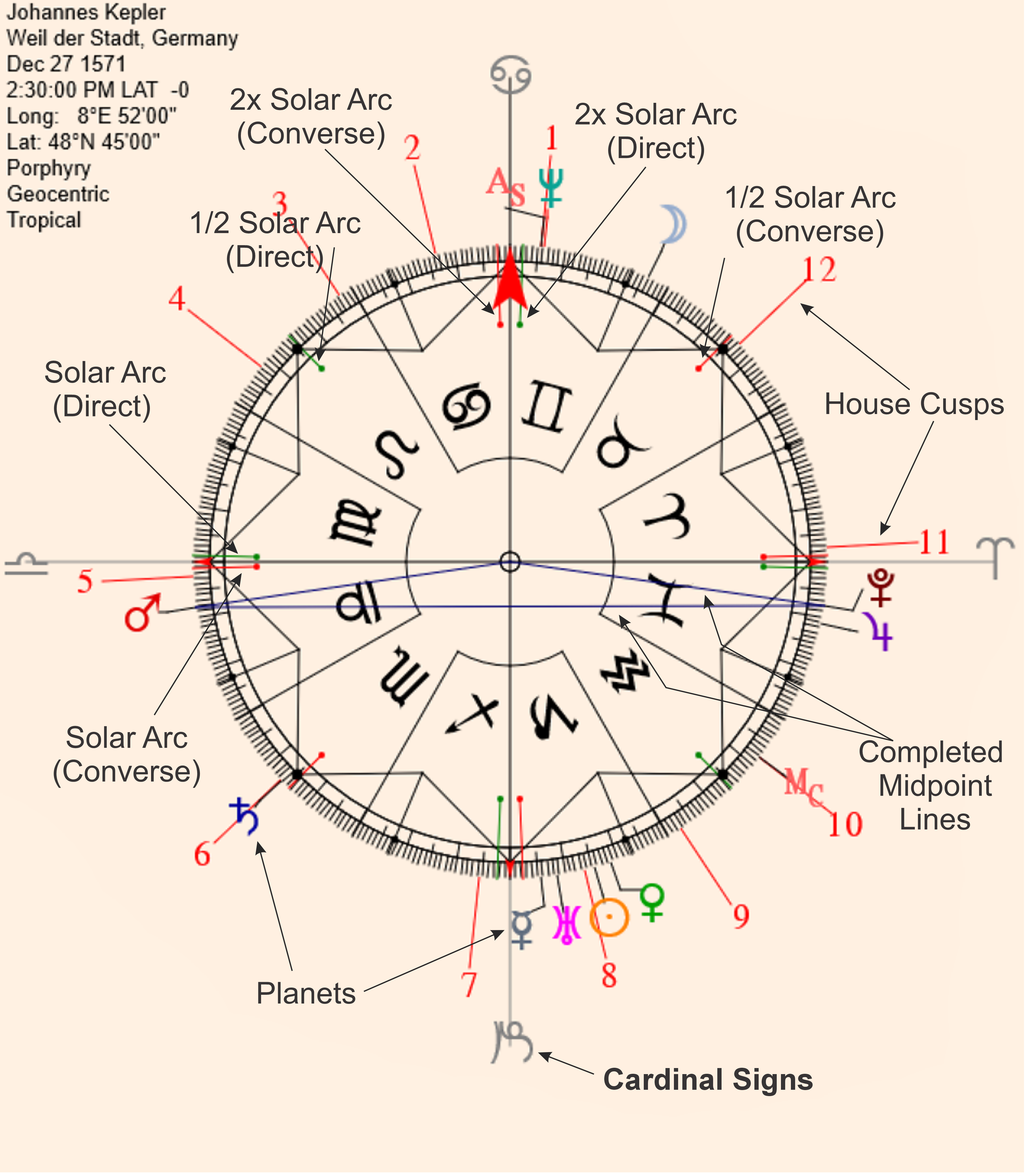
The 360° Dial with planets and house cusps
Starting with the 360° Dial, you can see the large Red Dial Pointer is aligned with Cancer at the top of the screen. This is standard practice in Uranian Astrology. Most astrologers use a 12-fold standard horoscope that is centered on the day. This style of charting has the MC at the top of the chart with the Ascendant on the left side. In contrast, the 360° Dial is centered on the year. The Cardinal cusp of the sign Cancer is the highest place the Sun reaches in any given year (in the Northern Hemisphere), like the MC is for any given day. The planets and other factors are placed in their actual positions on the 360° grid. The grid is divided by signs and contains several navigational markers in the form of dots and lines. Planets are measured counterclockwise to position them in the signs and are labeled by lines connecting the glyph to the proper 360° location. Some of these indicator lines are dog-eared to avoid overwriting or colliding with other glyphs and chart notations. The red house cusp lines for the selected house system connect numbered house cusps to their 360° locations. The Asc or MC can float freely depending on the house system in use. When a planetary line is red, it indicates the planet is retrograde.
The 360° Dial shown includes a total of twelve Solar Arc lines. Six green lines indicating the direct direction and six red lines in the inverse direction. Each group has lines of three different lengths. The shortest are the ½ solar arcs and the longest are the 2x solar arcs. Two lines at opposite ends of each axis (180° apart on the 360° dial, 45° apart on the 90° dial) are included. Solar arc lines are controlled by the date, time and location information entered through the WD button (Dynamic Working Data). The Options section contains controls to turn off all solar arcs or only ½ and 2x arcs. These are explained in detail in subsequent sections.
The 90° Dial is to be treated like an astrological microscope and allows the examination of material in an enlarged way. With the 90° Dial each degree is magnified 4 times, representing the 4th harmonic. This emphasizes the hard angles used in astrology. When factors are conjunct on the 90° Dial, they can be either conjunct, square or opposition to each other. Factors in opposition on the Dial are either at a 45° or 135° aspect to each other.
Planets and factors are entered on the Dial by modality. The first 30° of the Dial are the Cardinal signs. The second 30° are the Fixed signs and the final 30° are the Mutable signs. Markings on the Dial show smaller hard aspects (22.5°, 11.25° and 5.375°). The cusps of the Cardinal-Fixed, Fixed-Mutable and Mutable-Cardinal are boundaries measured to 30° openings and can be used to ascertain soft angles like the 30°, 60°, 120°, and 150°.
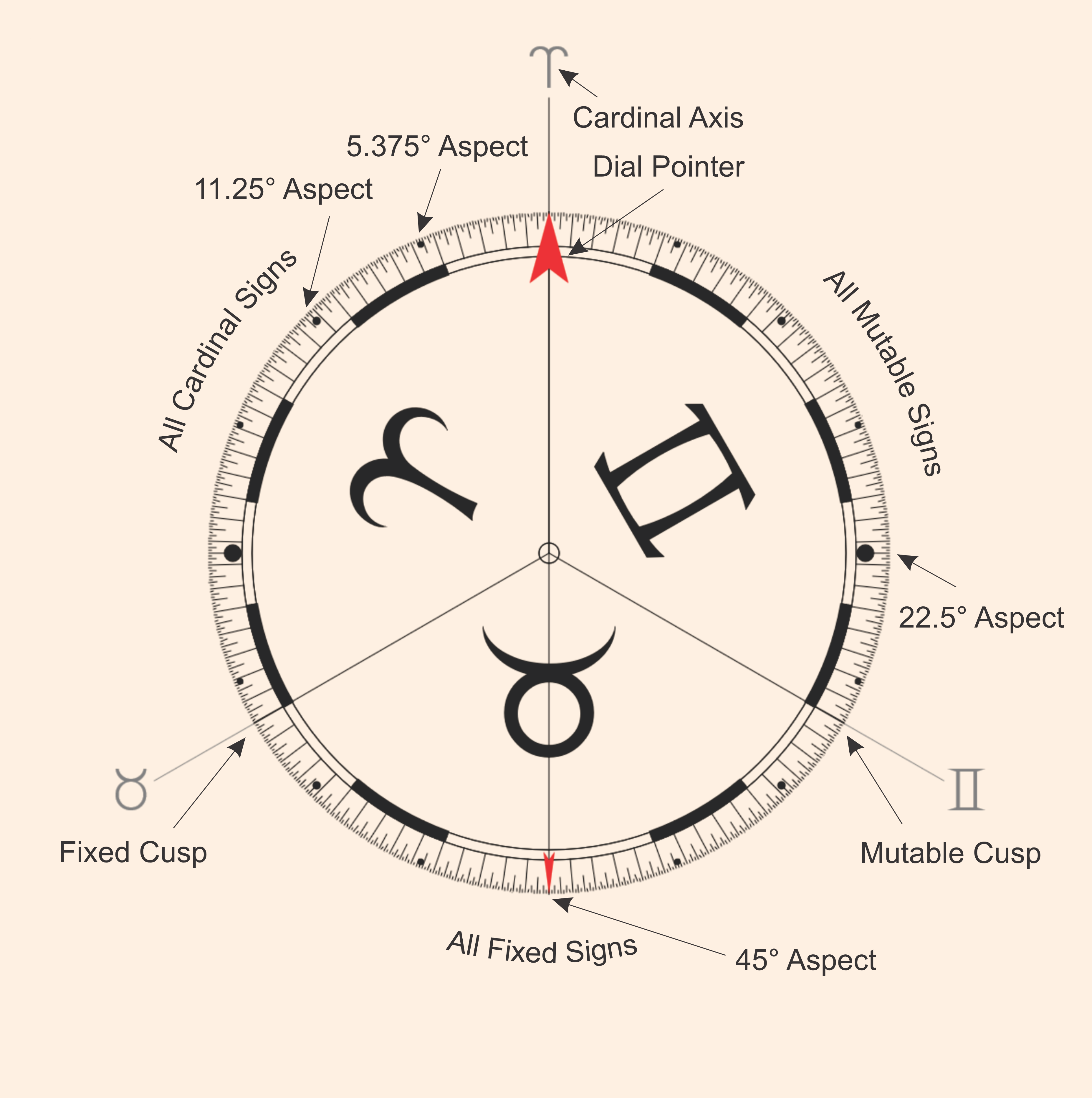
The 90° dial
You can display planets, house cusps, and user defined points. The 90° Dial shows small openings and orbs, and you can read it to under 5’ of arc and it is visually accurate to 2’ of arc. To display house cusps on the 90° Dial, right click (Mac: Ctrl + click) on the Ref/Hse button (see instructions in The Refl/Hse Button). As an example, the second/eighth house cusp appears as the house number – 2/8.
On both Dials there are several markings for the Solar Arc. You can use these markings and the Dial as a protractor for measuring various arcs like the Solar Arc or arcs between planets, etc. The 90° distorts material but allows us greater detail when examining a horoscope. The 360° is the natural layout of the Zodiac. With both style Dials, the measurement of symmetrical sensitive points is done with ease and accuracy.
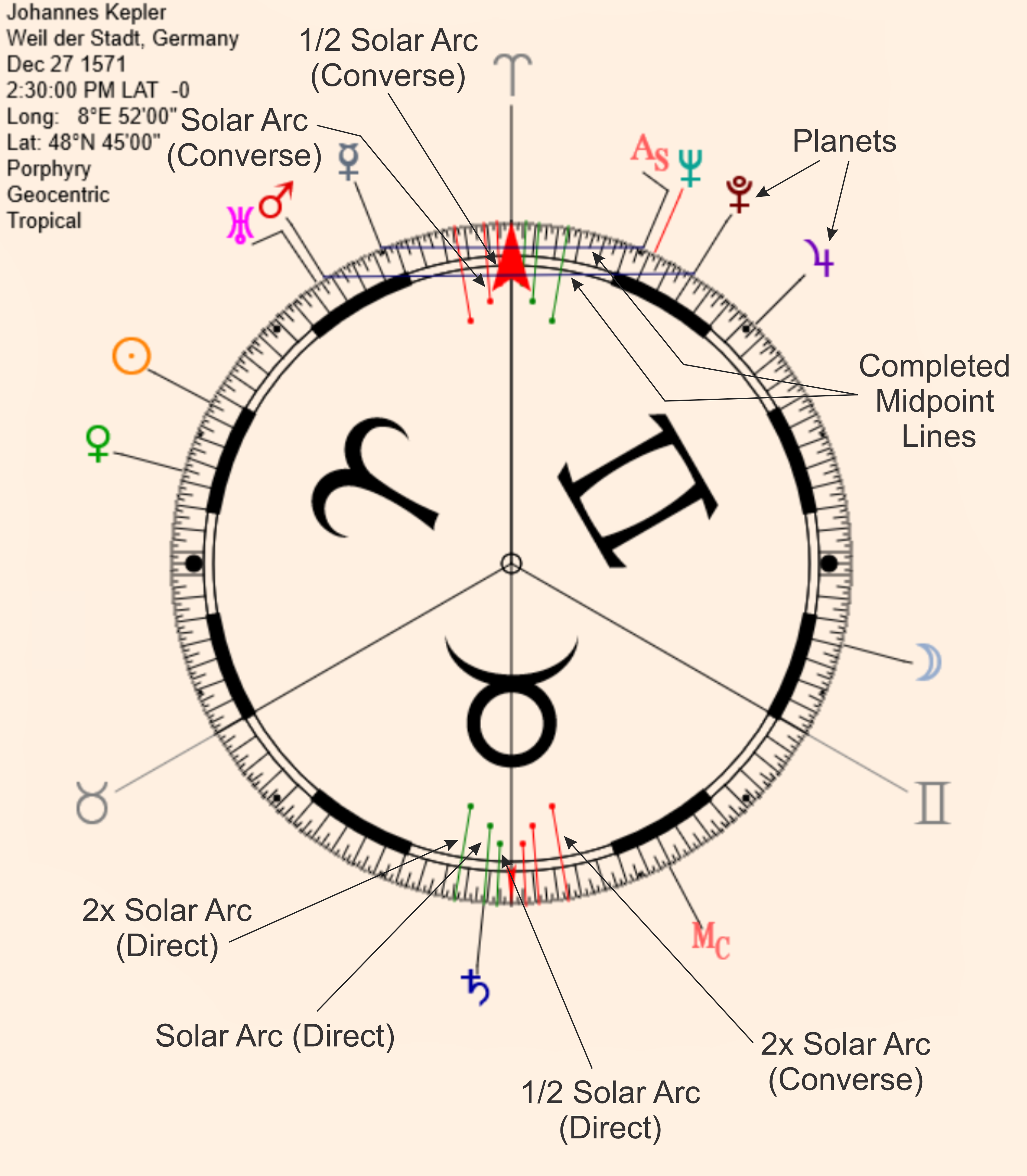
The 90° Dial with Kepler’s planets inserted. Note the completed midpoint (e/j and t/p) standing on the Cardinal Axis and the positions of the various Solar Arcs from 0°
Cardinals and 45° of the Fixed.
Making a Midpoint and a 3 Factor Sensitive Point or Lot and Adding Simple Points to the Dial
Settings Marquees, Formulas at the Pointer Position and the Interpretation Window
