It is possible to view and print a local horizon wheel for the currently selected chart. The local horizon chart displays a wheel with the compass directions onto which the directions (azimuths) of the displayed planets and stars are plotted. Each planet is shown with its symbol in the outer ring, and with a line from the center of the wheel directed outwards towards the symbol. Each line is also extended in the opposite direction as a dashed line. If this wheel is printed out onto a transparency, it can be overlaid onto a map, and it is then possible to see where the lines of planetary influence extend.
Select the “View Local Horizon Chart“ item from the “Chart“ menu.
This will display the Local Horizon Chart window.
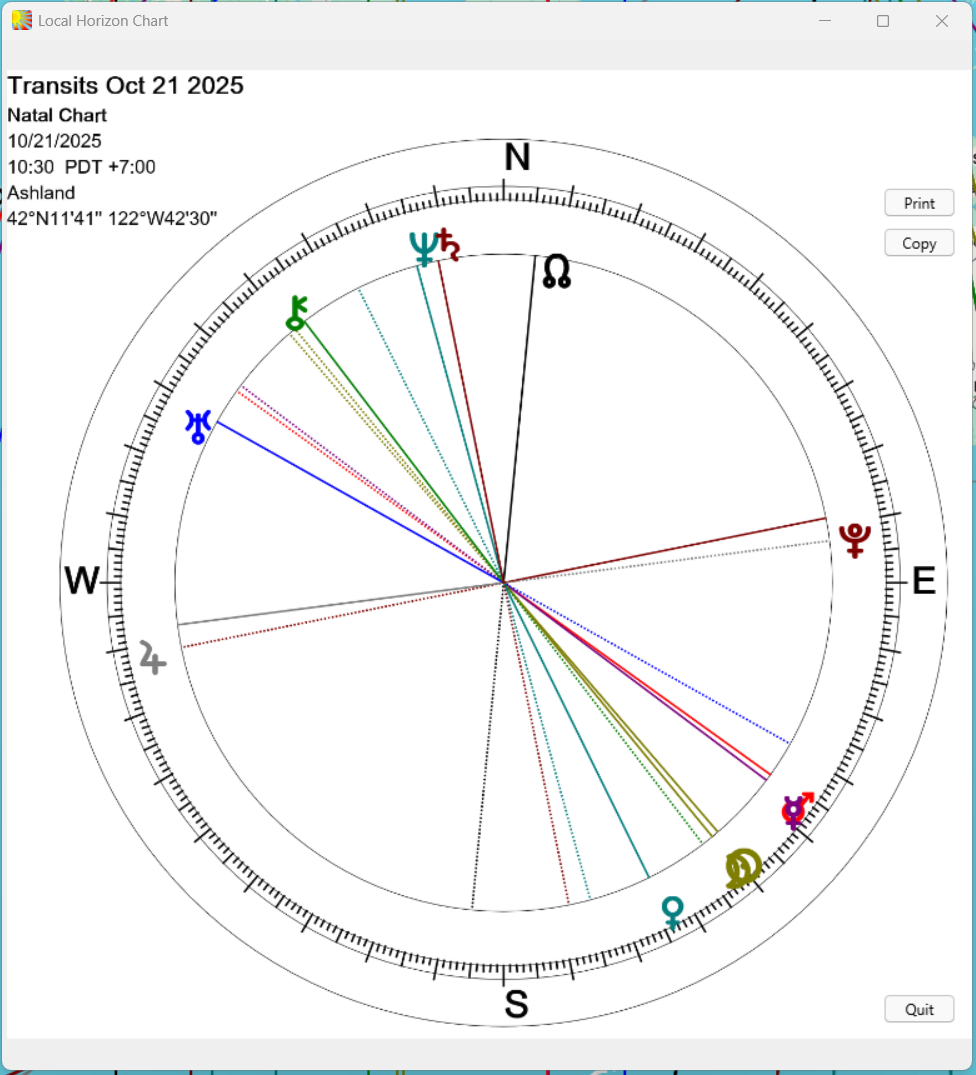
This window may be resized or moved as required. Resizing the window causes the chart wheel to be redrawn to fit the window as closely as possible, while maintaining a circular shape.
Click on the “Print...“ button.
This will display the “Print Current Chart” dialog box, from which you may choose to alter printer settings, or to go ahead and print the chart.
Click on the “Quit” button.
